Planned for the cut
Scene time estimates and authored board durations help you judge rhythm before you shoot or generate a frame.
 ScreenplayOS
NATIVE FILMMAKING WORKSPACE FOR MAC · EARLY ACCESS BETA
Outline, write, break down shots, board, and play a timed animatic in one project.
Optional AI suggests dialogue and generates board images using your own provider key — only when you ask, and only after you see what's sent.
ScreenplayOS Creator Early Access · Free Early Access beta
Works offline. No account required.
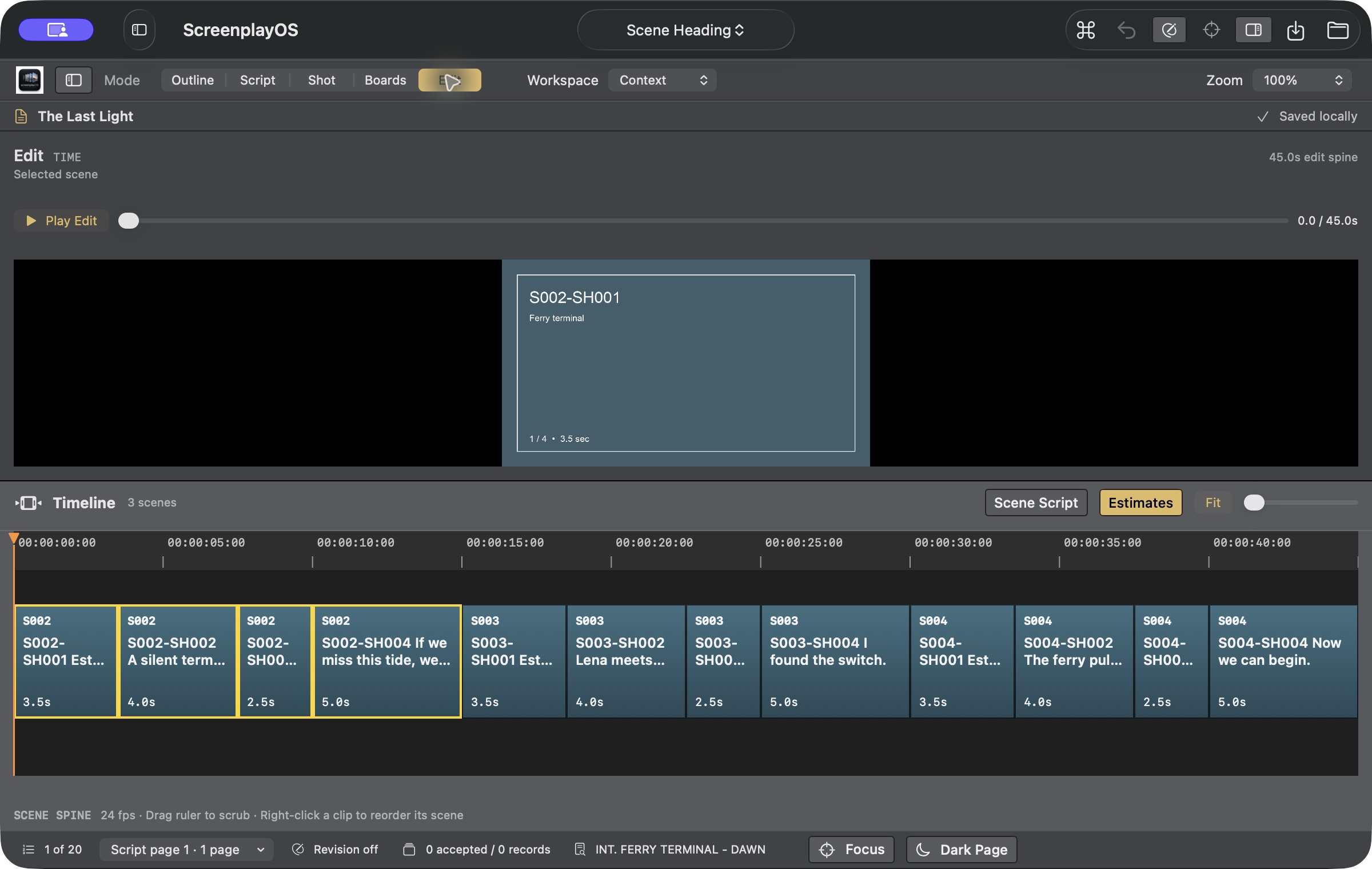
ONE PROJECT · FIVE VIEWS
Shape the story in beats and see estimated runtime as you plan.
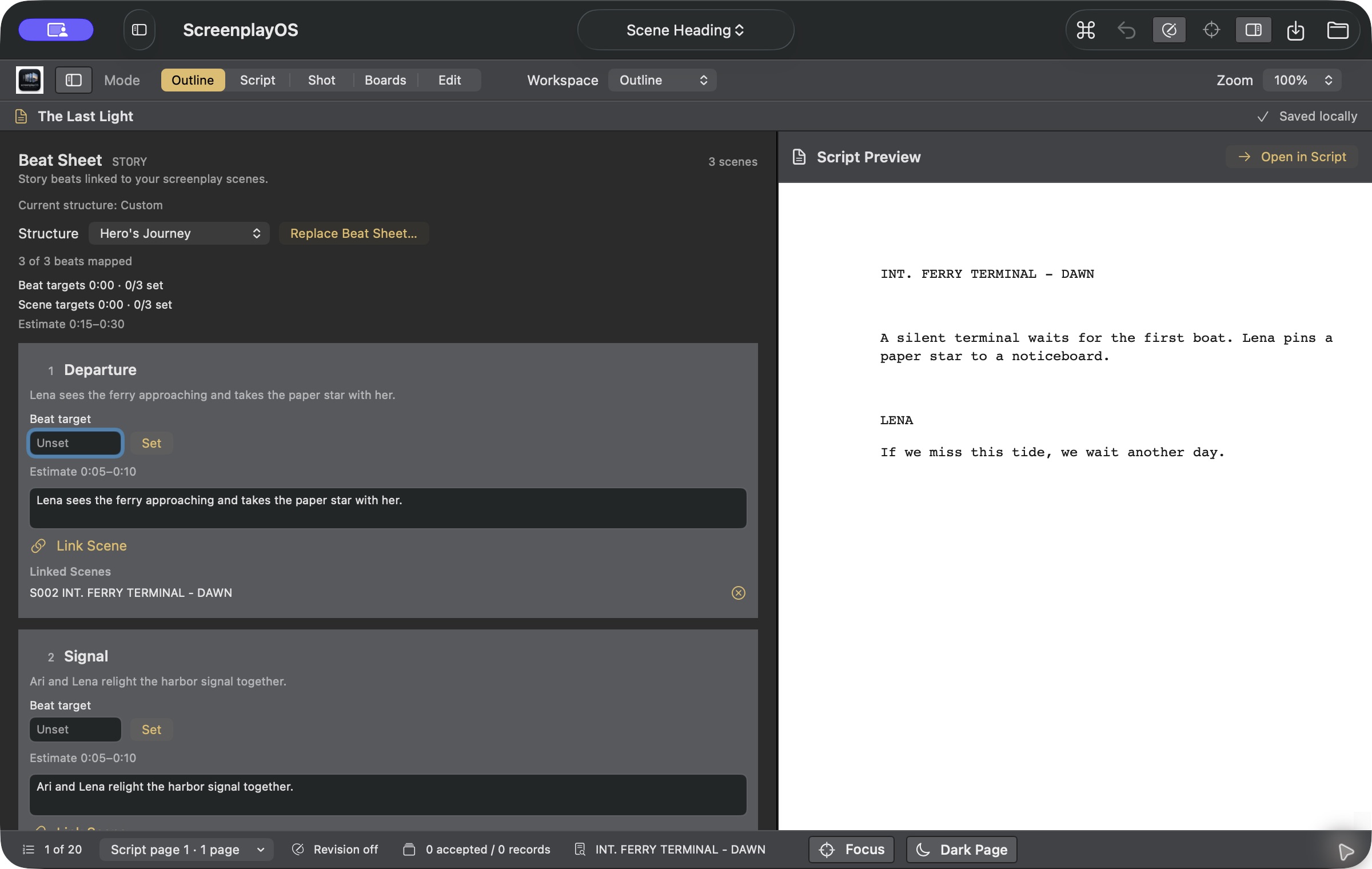
Write in screenplay format; review each scene’s estimated screen time in Outline.
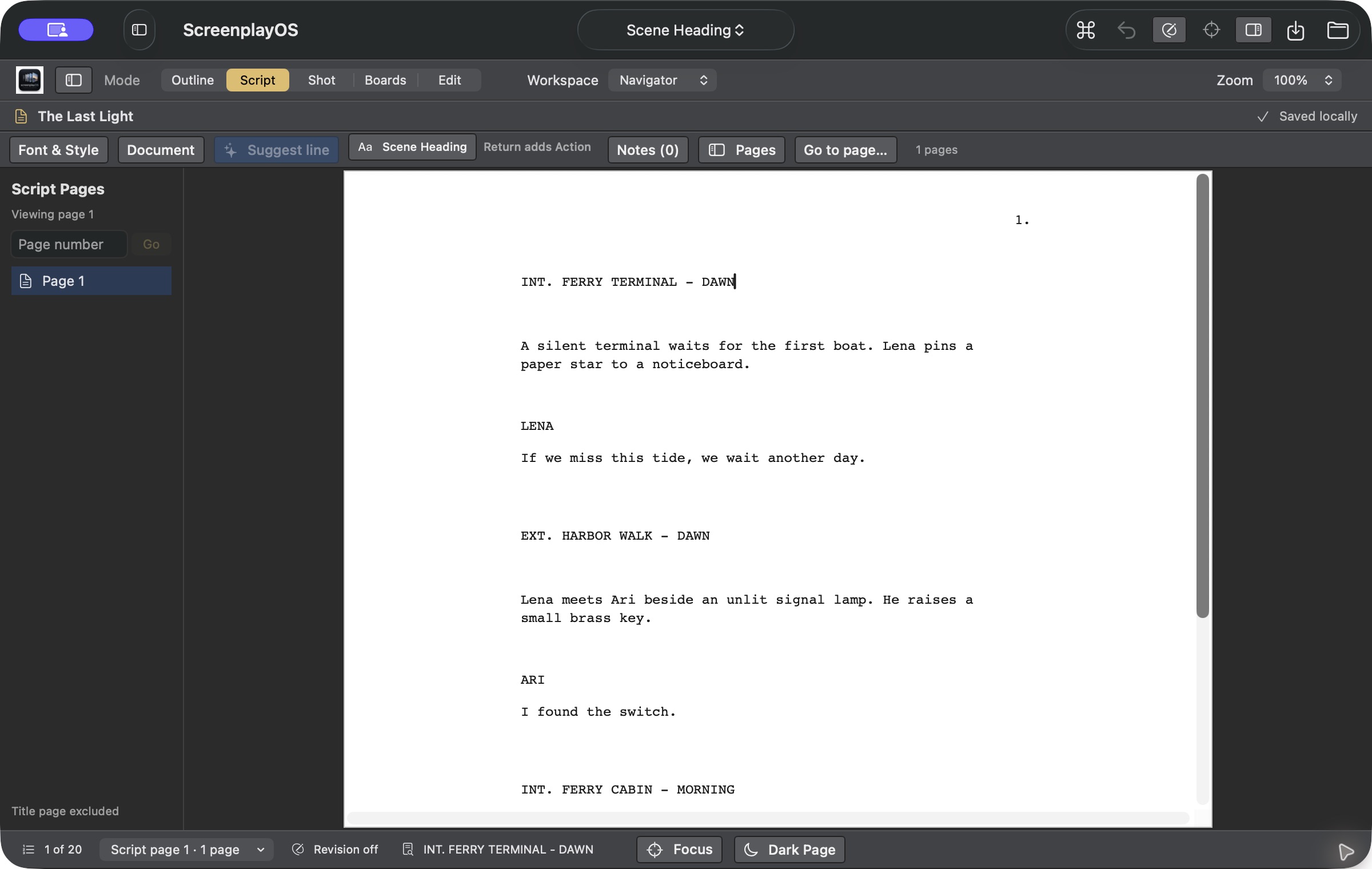
Break scenes into shots linked to their source script elements.
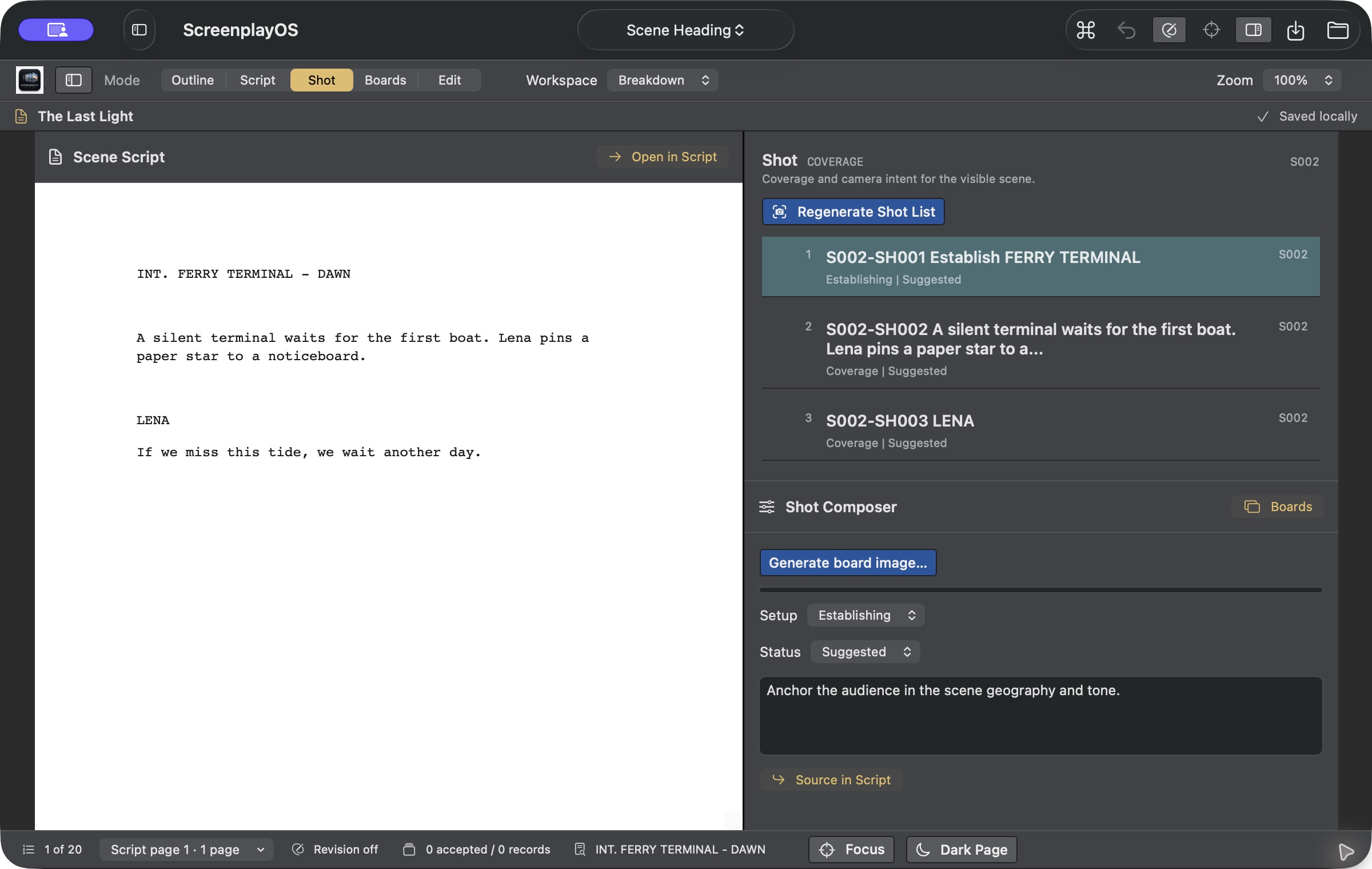
Build board frames from linked shots and set their durations. Optionally ask OpenAI to generate a board image with your Keychain-stored key after reviewing the editable prompt.
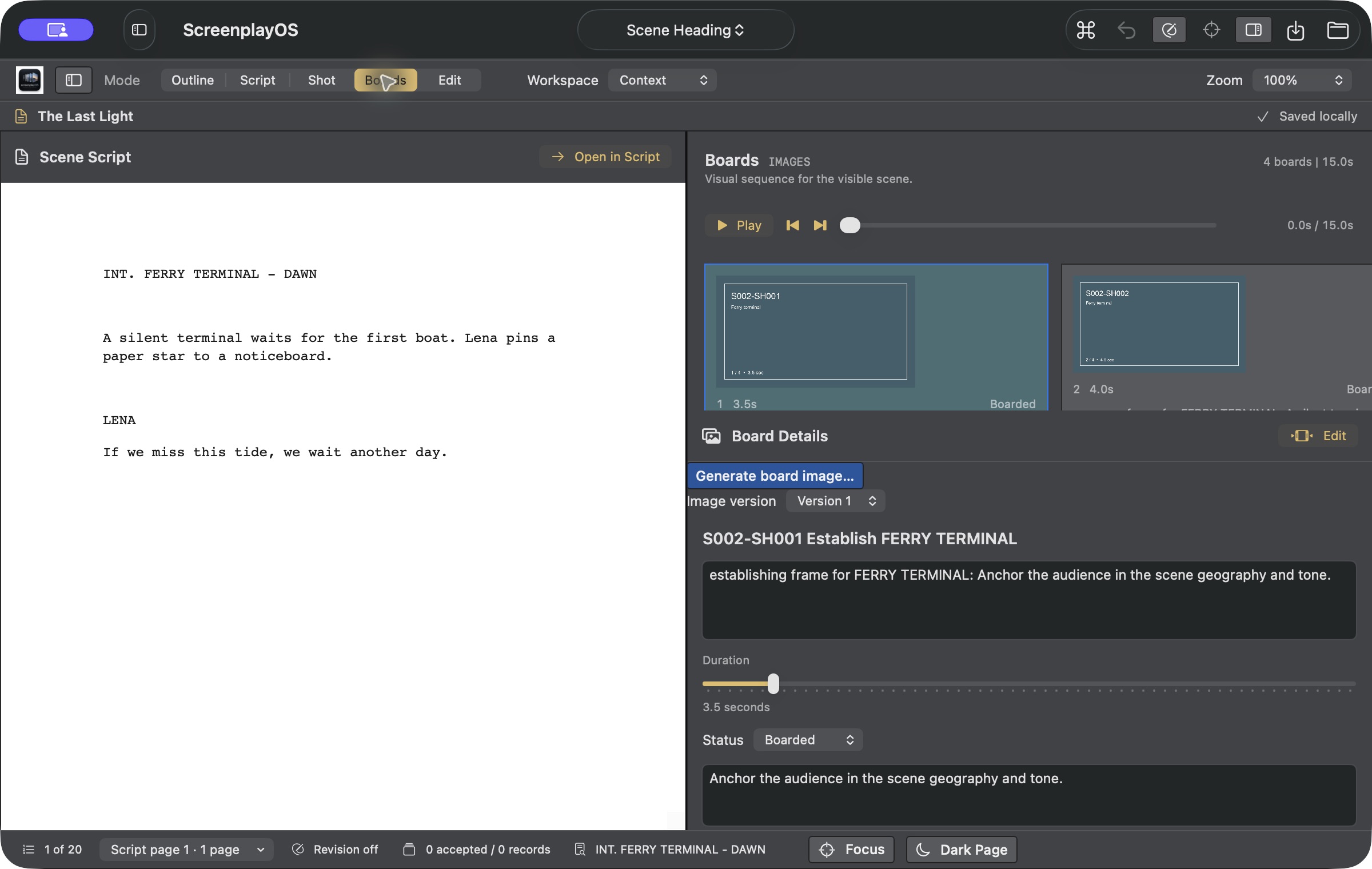
Play timed boards. Export EDL and FCPXML timing guides with placeholders for your edit. These exports do not include source footage or audio, and this release does not claim verified opening in every editing application.
Scene identity carries through every view. The export contains timing placeholders, not media.
WHY IT'S DIFFERENT
Scene time estimates and authored board durations help you judge rhythm before you shoot or generate a frame.
ScreenplayOS prepares timing guides for other tools. The current exports contain placeholders, so footage and sound remain in your editor.
Projects live on your Mac. Writing, outlining, and supported exports need no account or internet. AI is optional, invoked by you, with your provider key in the macOS Keychain. When you use AI, you choose the service and see exactly what is sent before anything leaves your Mac.
WHO IT'S FOR
For writers, directors, and producers making film, series, and animation, especially small teams working with AI-assisted pipelines, where one person may write the scene, plan the coverage, and cut the sequence.
LOCAL WORK, YOUR CONTROL
ScreenplayOS stores project files locally. The supported writing, planning, playback, and export workflows do not require a ScreenplayOS account. Back up your project files as you would any important work.
AI is optional. Selected content goes to your chosen provider only when you request an AI operation; the app shows the context or request for review first. Provider keys use the macOS Keychain. Provider processing is governed by that provider’s terms and privacy practices.
Your writing and project files remain yours. Your rights to imported or generated media also depend on the source material and applicable provider terms.
FREE EARLY ACCESS BETA
ScreenplayOS Creator Early Access is a free Early Access beta. The supported local writing, planning, playback and export workflow requires no ScreenplayOS account or paid activation. Your projects remain local and user-owned. Back up your native project files and referenced media before testing.
Create or import a screenplay, build scene-linked shots and boards, set their durations and play the timed sequence. Import local PNG images into your boards.
Keep the native project and its referenced media. This release is for Apple Silicon Macs running macOS 13 or later.
COMING NEXT · PLANNED, NOT IN THE CURRENT BETA
Consent, provenance, and user control guide this work. Early access members help decide what ships first.
EARLY ACCESS
Use ScreenplayOS on one real sequence—from screenplay to timed boards—then tell us where the workflow breaks down.
Running a production and want to use it on real work? Write to hello@screenplayos.com about becoming a design partner.
GET STARTED
Confirm your email address to get ScreenplayOS Creator Early Access, signed with Developer ID and notarized by Apple.
Source commit: ac427695ee13419e47dcd813a0fc441ce2d896e0. This artifact differs from historical builds sharing version 0.1.5 (28).
ScreenplayOS Creator Early Access · Version 0.1.5 (28) · October 15, 2026 · Apple Silicon (arm64) · macOS 13 or later
Run shasum -a 256 ScreenplayOS-Creator-Early-Access-0.1.5-build28-arm64.dmg and compare the result:
82ae030934fd6f45b584a87b8beb15e19565686812a6a39ac30d799beb413916COMPATIBILITY
This Creator Early Access build is for Apple Silicon Macs and requires macOS 13 or later. Intel is not included in this download.
Export screenplay PDFs using the project’s selected pagination profile, or exchange the supported screenplay subset through Final Draft FDX. FDX does not carry native page locks, notes, shots, boards, edit relationships, Takes or native extension data. Creator pagination has been accepted against three documented reference scripts; universal Final Draft pagination parity is not claimed.
New Creator documents use creator-1.0; existing documents and locks without a profile identifier remain legacy-v1. Creator layout is Letter, Courier and 12-point. Defenders retains accepted within-page wrapping differences. Native Creator-profile projects require this Creator-capable build or a compatible later build. Use supported PDF/FDX exports when sharing with older applications.
PRIVACY
Your screenplays are stored on your Mac. Content reaches an AI provider only when you choose an AI feature and is processed under that provider's terms. Provider keys stay in the macOS Keychain.
This site uses no analytics or third-party trackers. If you join the email list, we send your email address and IP address to Buttondown to deliver the confirmation, prevent spam, and send occasional ScreenplayOS updates. Open and click tracking are off; Buttondown may process operational data under its privacy policy. You can unsubscribe at any time. Hosting providers may retain standard server logs.